


NestFeed Smart Auto Pet Feeder
NestFeed Smart Auto Pet Feeder
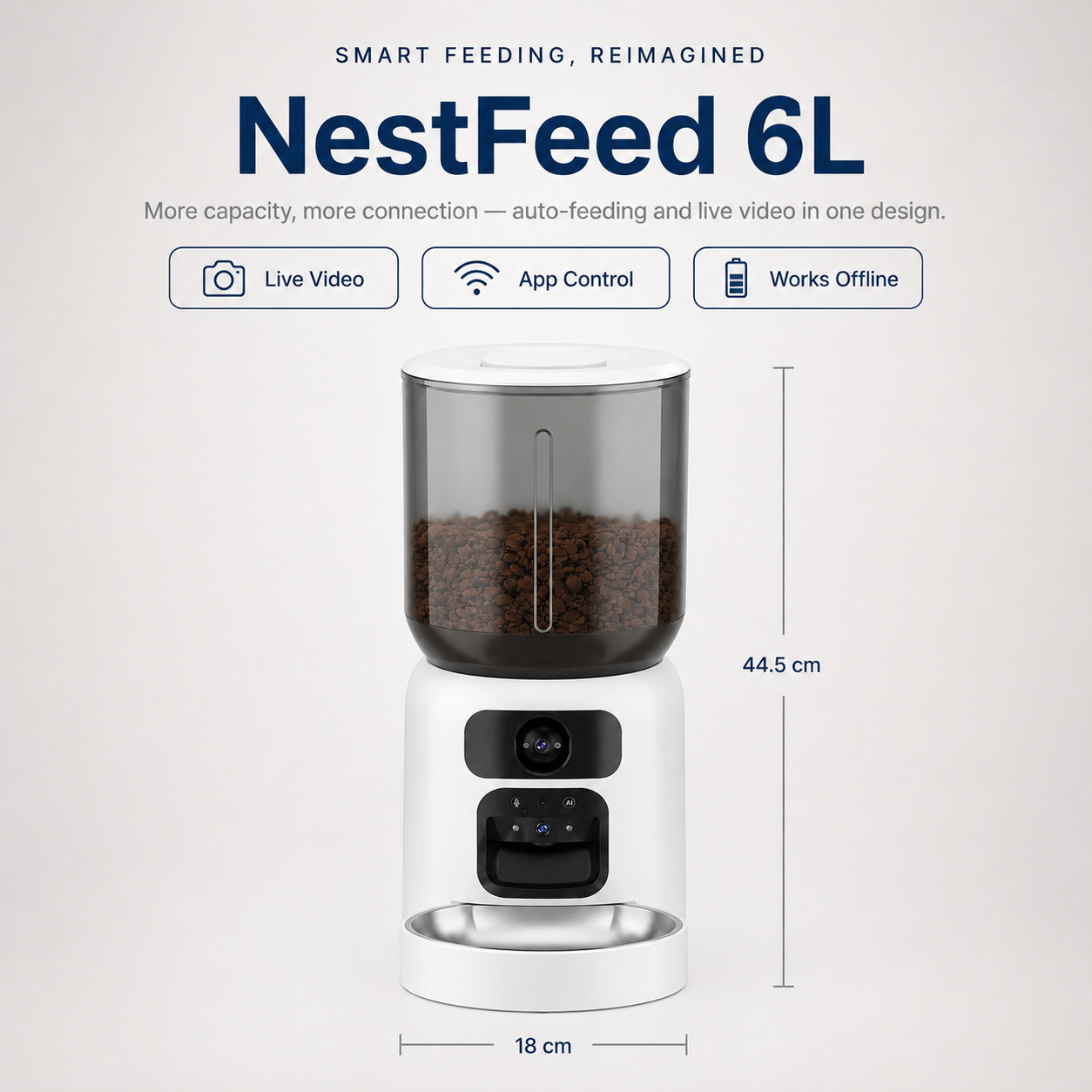
Missed meals and feeding guesswork are hard on both of you. NestFeed keeps feeding on schedule with live video and two-way audio built in, so you always know your pet is fed — even when you're not home.
 Live Video & Two-Way Audio
App-Controlled Scheduling
Works Fully Offline
Anti-Clog, Any Kibble Size
Couldn't load pickup availability

NestFeed Smart Auto Pet Feeder
Description
Description
Feed, watch, and talk to your pet — from anywhere.
Whether you're stuck at work or away for the weekend, NestFeed keeps you connected to mealtime. Set a feeding schedule, watch your pet eat in real time, and call out to them through two-way audio — all from one app.
Why pet owners love it:
- Live Video + Two-Way Audio — Check in on your pet anytime, or say hi at feeding time. See them, hear them, talk to them.
- Fully Customizable Feeding Schedule — Set 1–10 meals a day with 1–15 portions per meal, controlled entirely from the app.
- Never Miss a Meal — Battery backup keeps feeding on schedule even through a power cut or WiFi drop.
- WiFi + Bluetooth Connectivity — Stable remote access and app control, wherever you are.
- Anti-Clog, Mix-Grain Compatible — Handles different kibble shapes and sizes without jamming or getting stuck.
Choose your style:
- Compact (4L) — space-saving tower design, USB-powered, great for smaller homes or single pets
- Tower (6L) — larger capacity, WiFi + Bluetooth video version, available in Black or White
Perfect for: cats and small-to-medium dogs under 20 lbs, multi-pet homes, frequent travelers, or anyone who wants eyes and ears on their pet during the day.
Never wonder if they've eaten — see it, hear it, know it. Meet NestFeed.
How To Use
How To Use
Download the app and connect your feeder via WiFi or Bluetooth.
Fill the hopper with your pet's regular kibble — no need to sort by size, the anti-clog system handles mixed shapes.
Set your feeding schedule in the app — choose meal times and portion sizes, up to 10 meals a day.
Use the live camera anytime to check in, watch your pet eat, or talk to them through two-way audio.
The feeder keeps running on battery backup even if your power or WiFi drops, so meals stay on schedule no matter what.
What Size Do I Need?
What Size Do I Need?
- Choose Compact (4L) if you have one pet, live in a smaller space, or just want a straightforward, space-saving feeder.
- Choose Tower (6L) if you have multiple pets, want fewer refills, or prefer extra buffer capacity for trips away from home.
Both sizes include the same core features — live video, two-way audio, app scheduling, and battery backup — so the choice comes down to capacity and space, not functionality.

I travel for work more than I'd like to admit, and I used to feel so guilty leaving my dog with just a timer feeder and hoping for the best. With NestFeed I can actually check in on my phone, see her eating, and even talk to her when I'm away. The battery backup saved us during a storm last month when the power went out for almost a day — I didn't even realize until I opened the app and saw it had kept feeding her right on schedule. Genuinely changed how I feel about being away from her.




Pet Owners Tired of Missed Meals and Feeding Guesswork
I finally stopped worrying
“I travel for work a lot and always felt guilty leaving my cat with just a timer feeder. With NestFeed I can actually see her eating on the app and talk to her through it. Genuinely changed how I feel about being away.”

Vet loves the consistency
“My dog needs to eat on a strict schedule for his medication. NestFeed's app makes it so easy to set exact portions and times. My vet actually asked what feeder we were using because his weight has been so stable.”

No more clogged food
“Our old feeder jammed constantly with our dog's oddly-shaped kibble. Three weeks in with NestFeed and it hasn't jammed once, even mixing in his supplements. Such a relief.”

Power went out, feeding didn't
“We had a two-day power outage last month and I was so anxious about the cats. NestFeed just kept running on battery like nothing happened. Didn't even realize until I checked the app.”

Setup took five minutes
“I'm not techy at all and expected this to be a whole ordeal. Downloaded the app, connected it, scheduled his meals, done. Genuinely the easiest smart device I've set up.”

Talking to him through the camera is my favorite thing
“Didn't think I'd actually use the two-way audio but I catch myself checking in on my dog from work just to say hi. It's become part of my day honestly.”
The NestFeed Effect
What changes when feeding stops being a guessing game.
 Without NestFeed
- Meals get skipped when plans change
- No way to check if they've actually eaten
- Portions eyeballed, never consistent
 With NestFeed
- Meals dispense on schedule, every time
- Live camera confirms they've eaten
- Exact portions, set once in the app
 Without NestFeed
- Constant worry when you're away
- Power or WiFi issues mean missed meals
- Odd-shaped kibble jams cheap feeders
 With NestFeed
- Check in and talk to them, anywhere
- Battery backup keeps feeding, no matter what
- Anti-clog design handles any kibble size
Here's Why Owners Trust NestFeed
*Tap each reason to learn more.


Results You Can See

Set Up, Scheduled, Done.
Connect the app, set your first feeding schedule, and your pet gets their first NestFeed meal within minutes of setup.

A Routine You Can Trust.
Meals land on time, every time. You'll start checking the live feed less out of worry, more just to say hi.

Feeding, Off Your Mind.
Whether you're at work, traveling, or just out for the day — feeding time takes care of itself, and you always know your pet's fed.


Why 3,600+ Pet Owners Chose NESTFEED
Built to Never Jam.
Cheap feeders clog on odd-shaped kibble and leave your pet with an empty bowl. NestFeed's anti-clog design handles mixed grain sizes smoothly, every single feeding.

See Them. Hear Them. Anytime.
Built-in live video and two-way audio let you check on your pet and talk to them from wherever you are — no separate camera needed.

Power Out? Feeding Continues.
Built-in battery backup keeps NestFeed running through power cuts or WiFi drops, so your pet's schedule never skips a beat.

FREQUENTLY ASKED QUESTIONS
Q: 4L or 6L — which should I get?
Q: 4L or 6L — which should I get?
Ans: No. NestFeed's anti-clog dispensing mechanism is designed to handle a mix of kibble shapes and sizes smoothly, without getting stuck.
Q: Does it work if my WiFi goes down?
Q: Does it work if my WiFi goes down?
Ans: Wired plugs in and runs continuously, so it's a good fit if you have an outlet nearby. Wireless runs on a rechargeable battery and only activates when your dog approaches, making it easy to place anywhere and saving power in between visits.
Q: How many meals can I schedule per day?
Q: How many meals can I schedule per day?
You can set anywhere from 1 to 10 meals a day, with 1 to 15 portions per meal, fully customizable through the app.
Q: Is it hard to set up?
Q: Is it hard to set up?
Ans: Not at all. Download the app, connect your feeder, and set your first schedule — most owners are up and running in a few minutes.
Q: Can I see and talk to my pet through it?
Q: Can I see and talk to my pet through it?
Ans: Yes. NestFeed has a built-in camera with live video and two-way audio, so you can check in on your pet and talk to them anytime, right from the app.
Q: Will it jam with different kibble sizes?
Q: Will it jam with different kibble sizes?
Ans: No, NestFeed's anti-clog dispensing is designed to handle a mix of kibble shape and sizes smoothly, without getting stuck